How Do I Deactivate My Basic (Free) Account?
Author: Dylan Buckley
February 12, 2026
1 min read
Start your credit building journey for your business
Deactivating your Basic/Free FairFigure is a simple process.
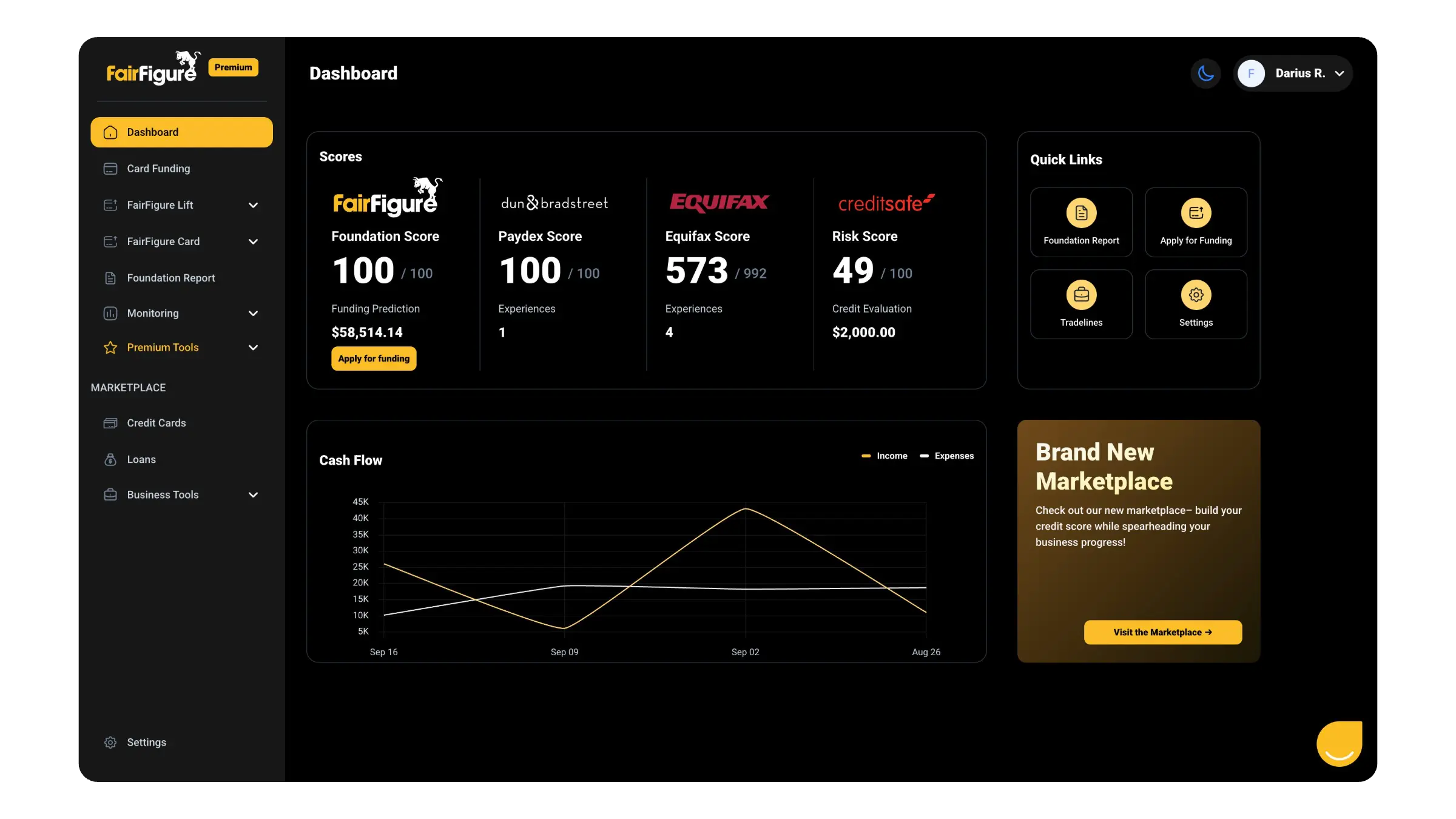
Log in to your FairFigure account. You’ll be brought to your dashboard after logging in.
On the left side of your screen, you’ll see the menu featuring all of the tools and features on FairFigure. Use your scroll wheel to scroll down all the way to the bottom and find the “Settings” menu.
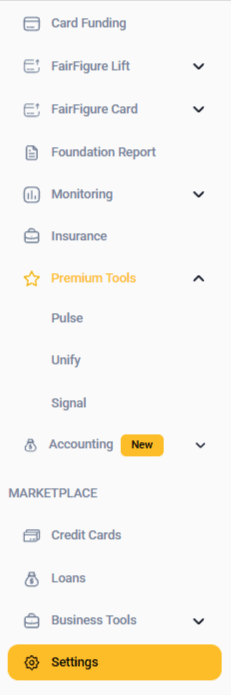
Click on the Settings menu, and three options will appear: Personal Information, Login & Security, and Billing & Plans.
Click on the Login & Security option. Then, use the scroll wheel to navigate to the bottom of the page. You’ll find the “Deactivate Account” button there.
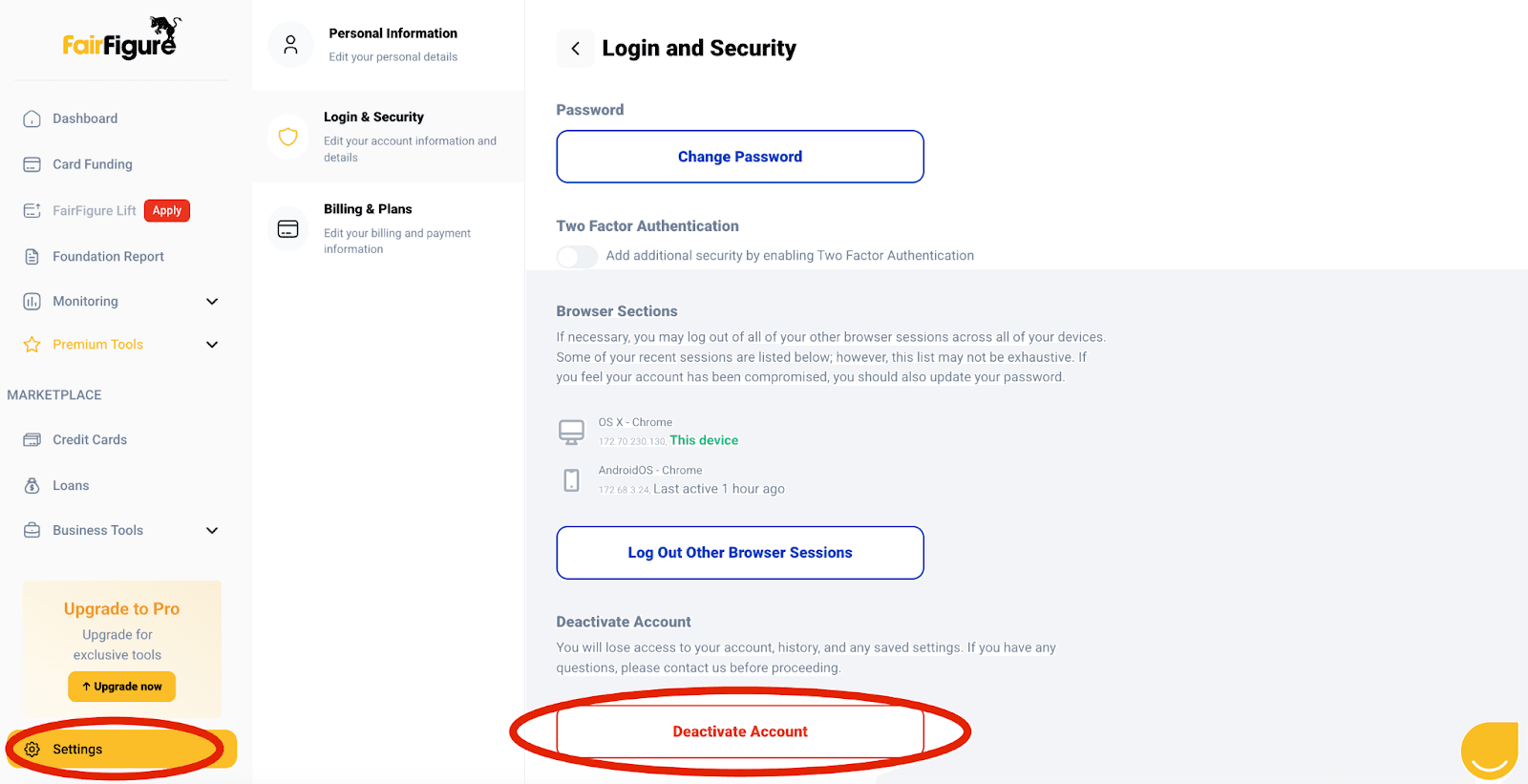
As the warning states, you will lose access to your account, history, and any saved settings.
If you want to explore FairFigure further or have any questions about deactivating your account, reach out to us so that we can address any questions or concerns before you finalize your account deactivation.
More articles
Read More >
October 08, 2026
15 min read

October 08, 2026
12 min read

October 08, 2026
13 min read
Start your credit building journey for your business
Start your credit journey now with FairFigure