Understanding Your Equifax Score and Report
Author: Dylan Buckley
January 09, 2026
2 min read
TABLE OF CONTENTS
Start your credit building journey for your business

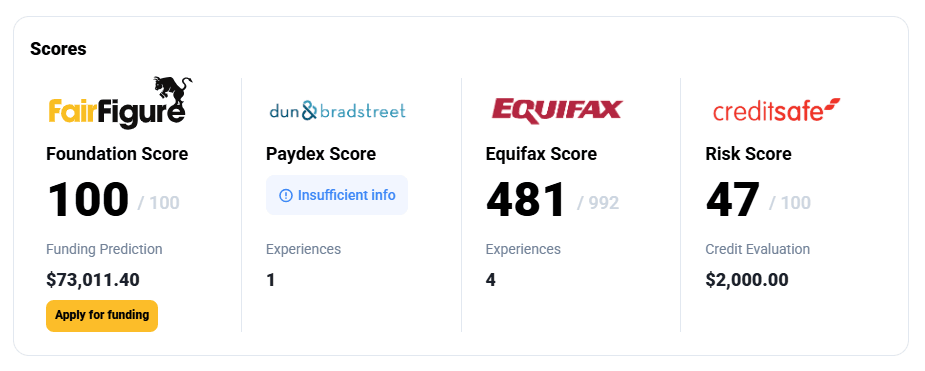
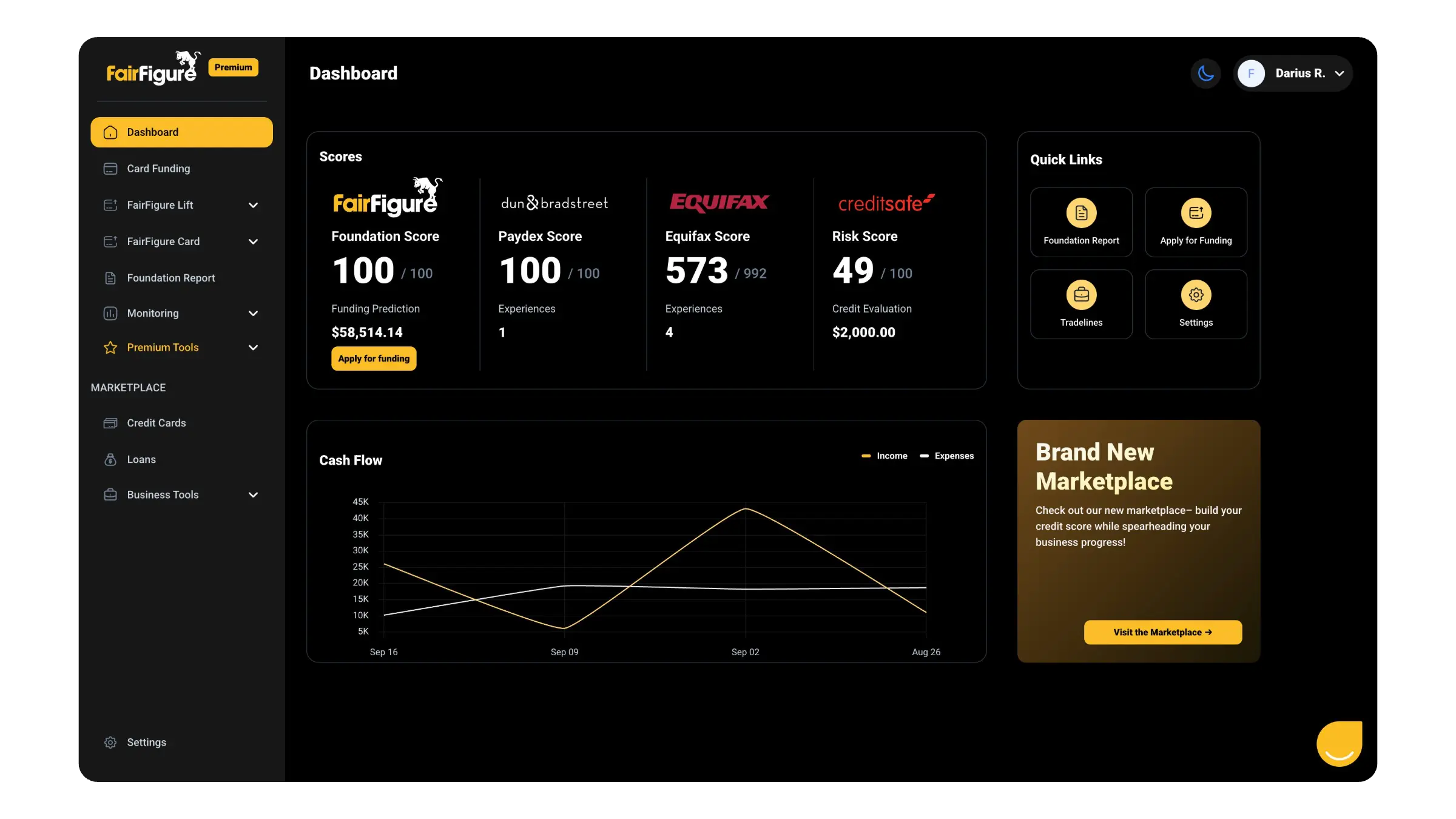
You should see your Equifax business credit score immediately after logging into your FairFigure Premium account, like this:
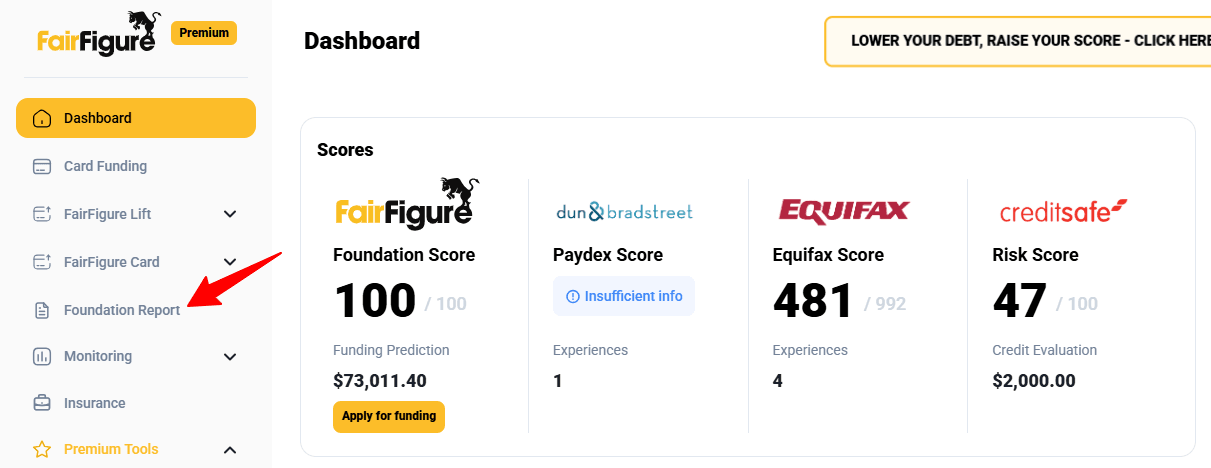
Then click on the Foundation Report in the left-hand dropdown menu for more details:
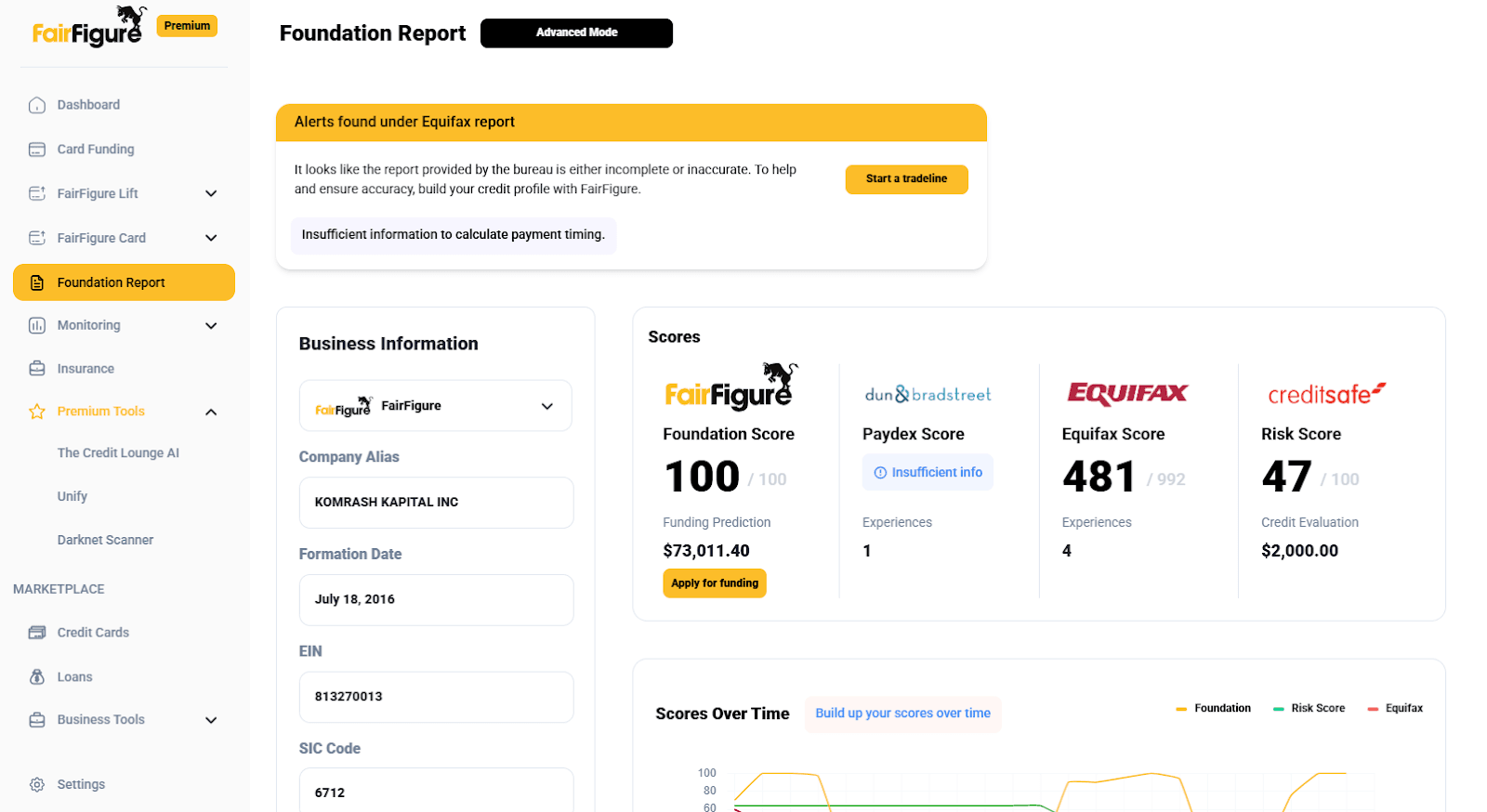
Your Foundation Report shows you all the business credit bureau scores and report information in one place:
Click on the “FairFigure” dropdown under Business Information and click on “Equifax”:
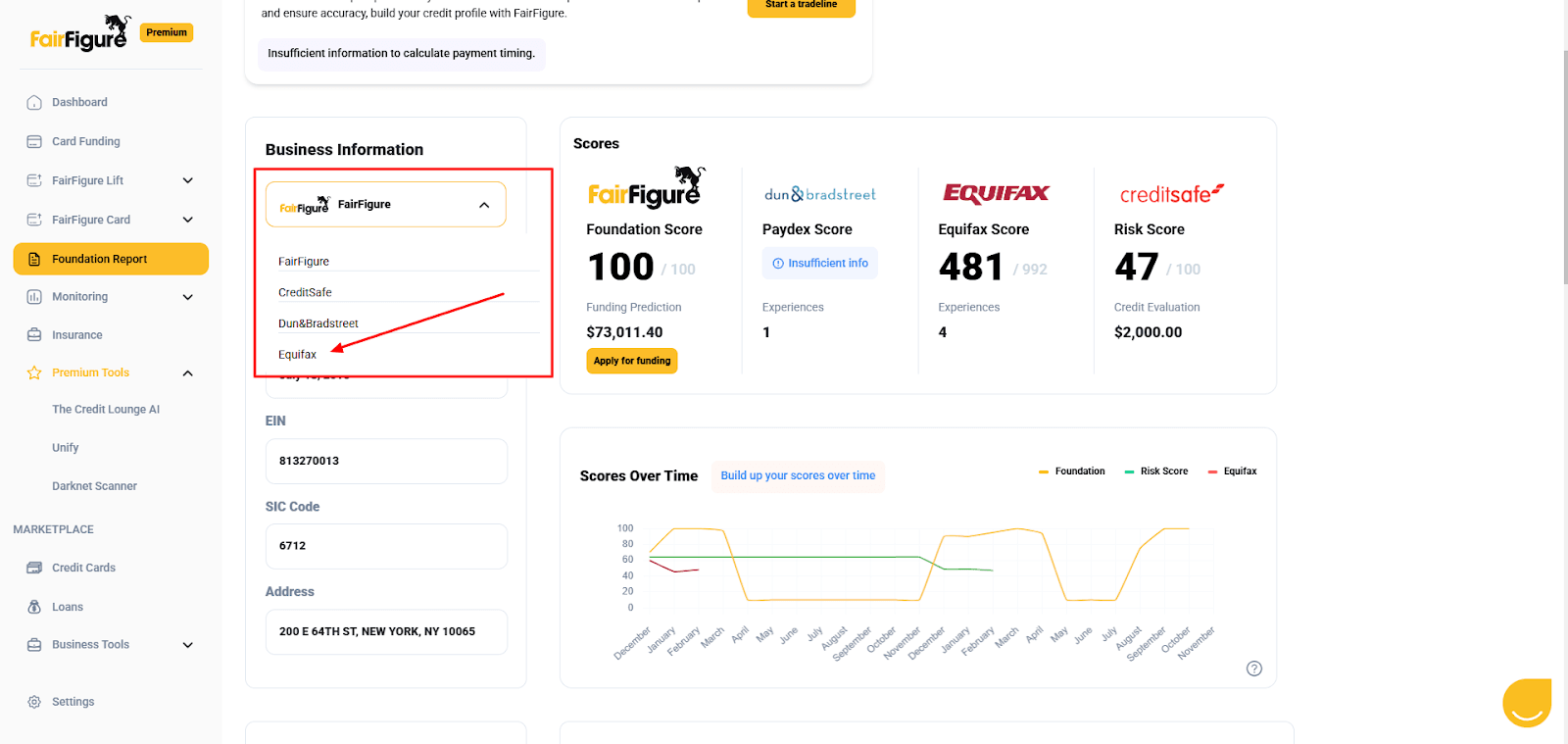
This will show you your Equifax business data, including company name, formation date, EIN, and address:
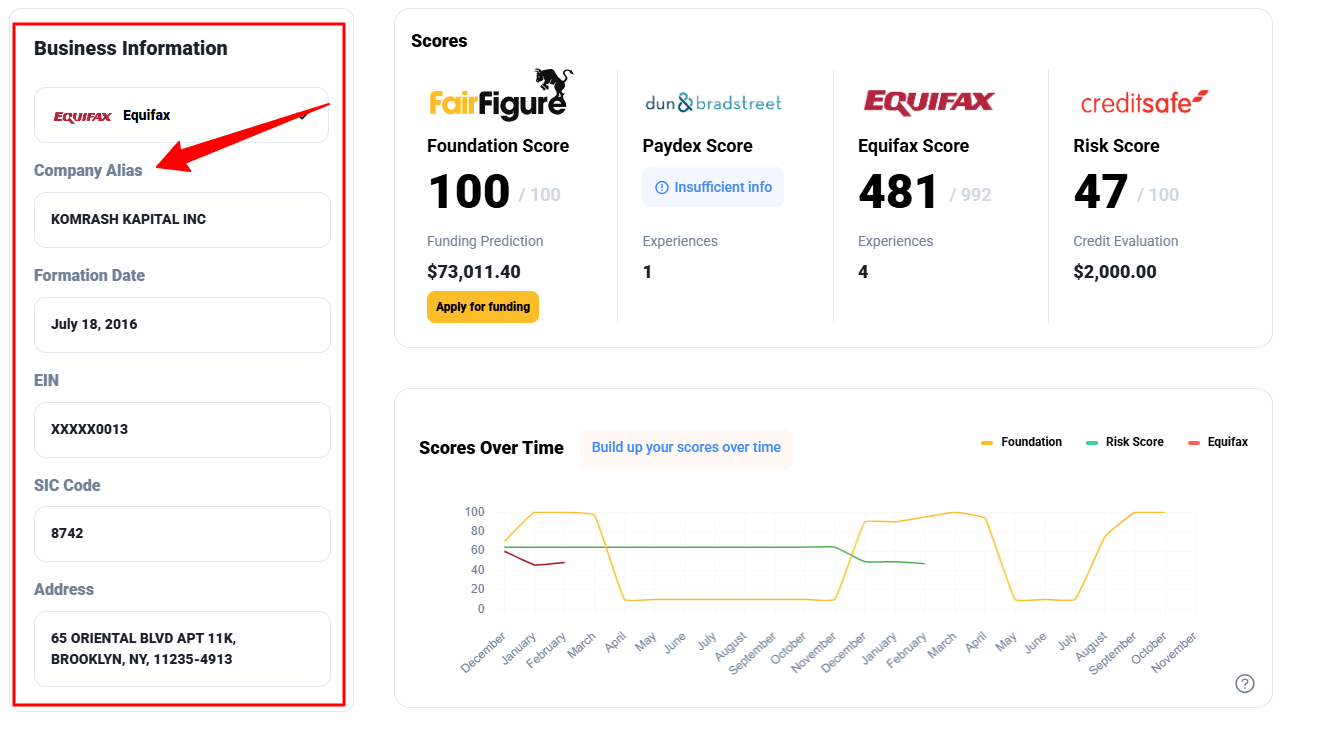
Verify that all of this is correct.
If this or any other information on your credit reports is incorrect, use the Unify feature to correct it. This can be found under the “Premium Tools” dropdown.
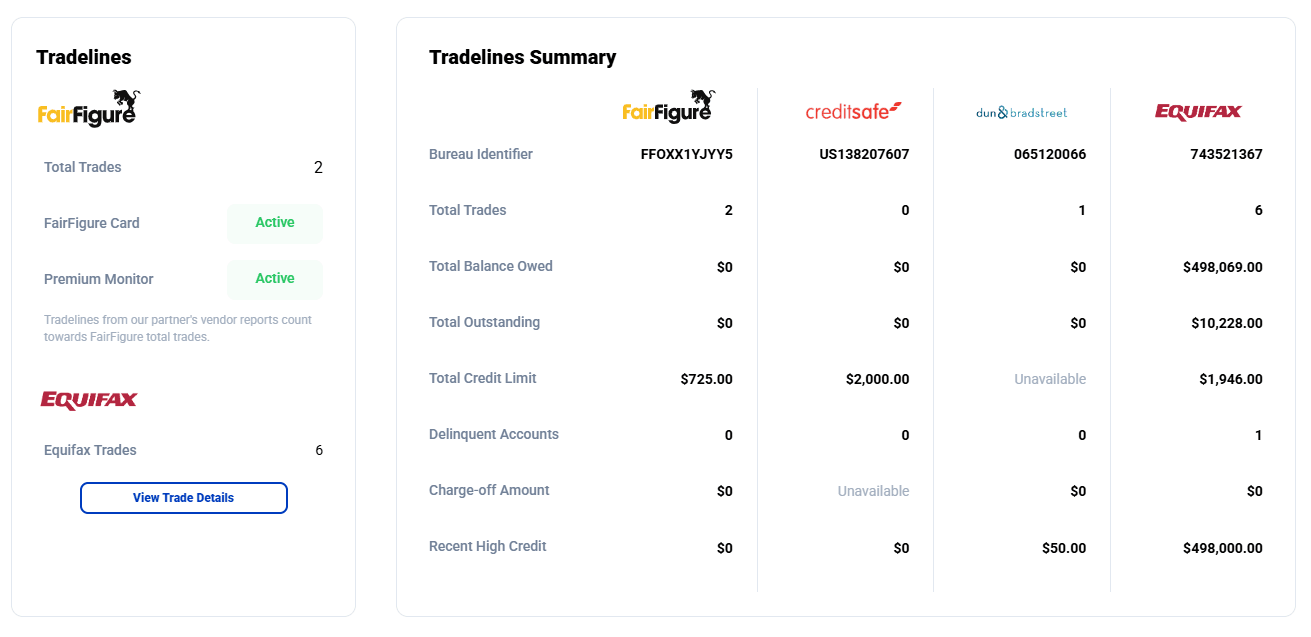
Scroll down more to see the business credit report tradeline data from each bureau:
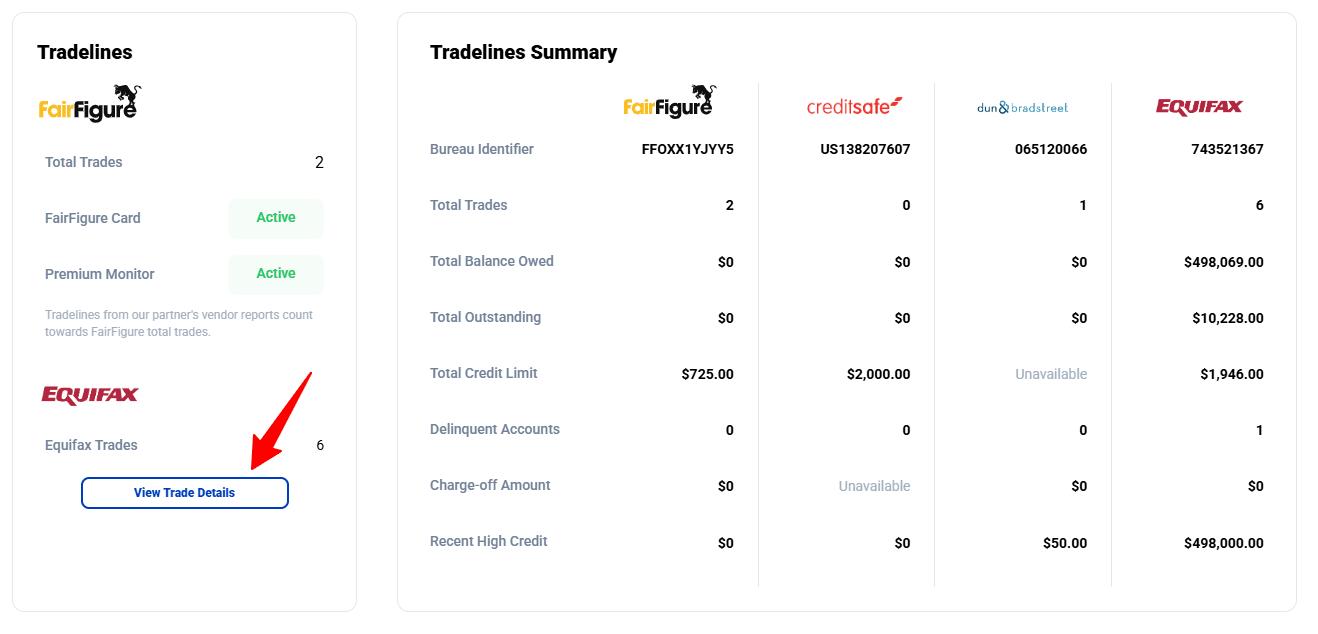
Click on the “View Trade Details” under “Equifax Trades” to see the details of each tradeline on your Equifax Business Credit Report:
The details of each one should pop up:
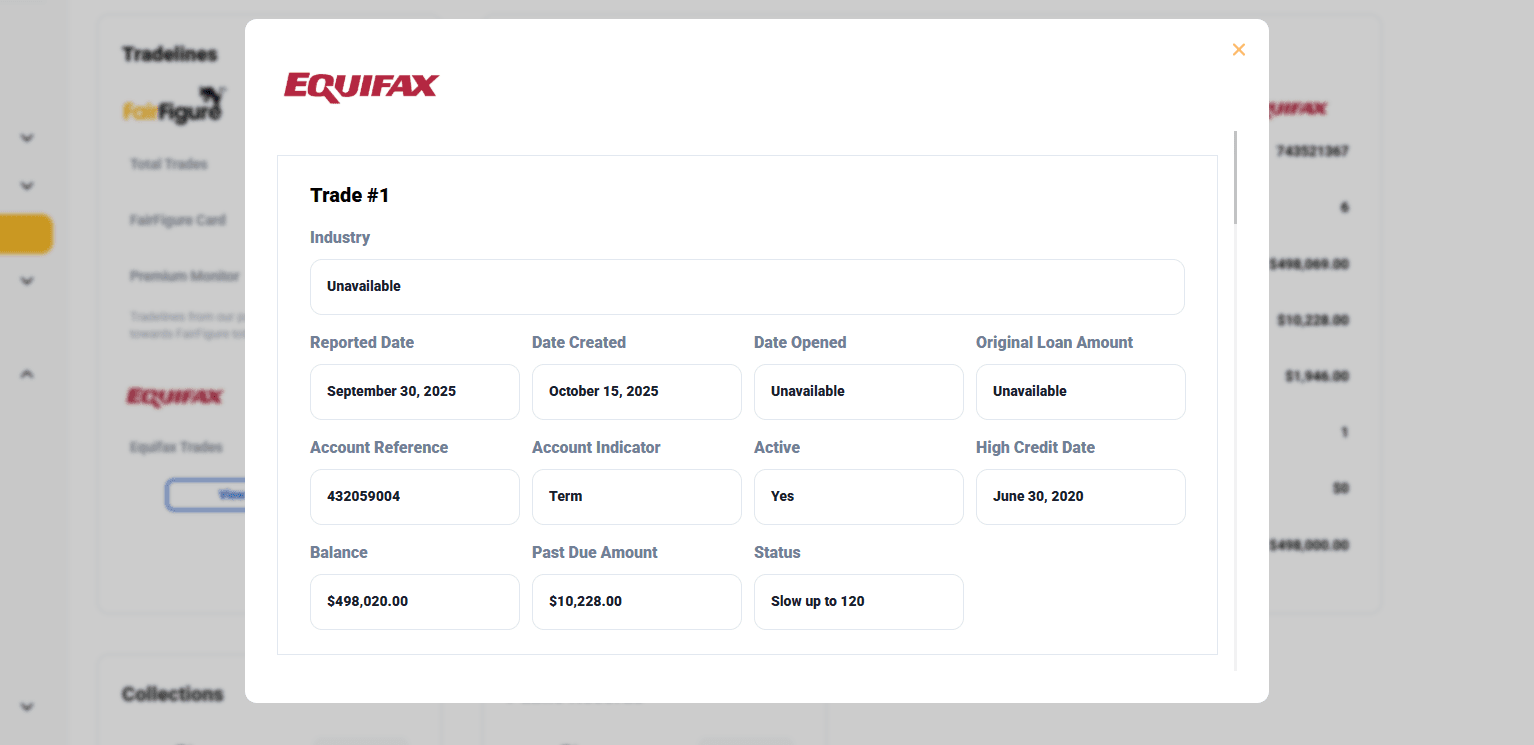
Scroll down to see all of your Equifax tradelines.
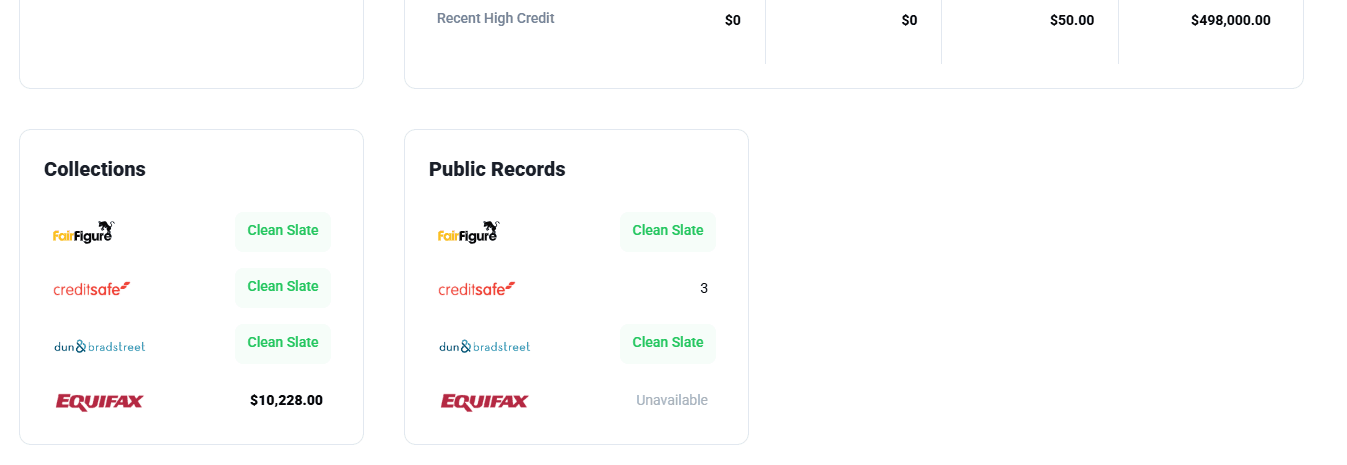
After closing out the pop-up, you can scroll down even further to see derogatory report data, including Collections and Public Records:
More articles
Read More >
August 11, 2026
13 min read

August 11, 2026
7 min read
August 11, 2026
7 min read
Start your credit building journey for your business
Start your credit journey now with FairFigure