What Should I Do If I See Incorrect Information in my Business Credit Reports?
Author: Dylan Buckley
February 12, 2026
1 min read
Start your credit building journey for your business
Incorrect information can trigger rejections, and incorrect information, such as wrong addresses or similar reporting errors, can be simple mistakes that hold you back.
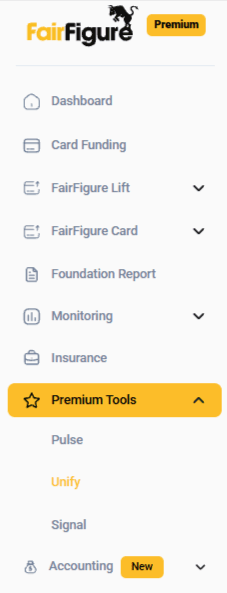
That’s why we designed Unify. Our Unify tool makes it easy to submit corrections to the commercial credit bureaus. If you have FairFigure Premium, you can locate the Unify tool in the menu on the left side of your screen.
Click on it, then update your company details to dispute any incorrect information and keep your credit record precise and updated.
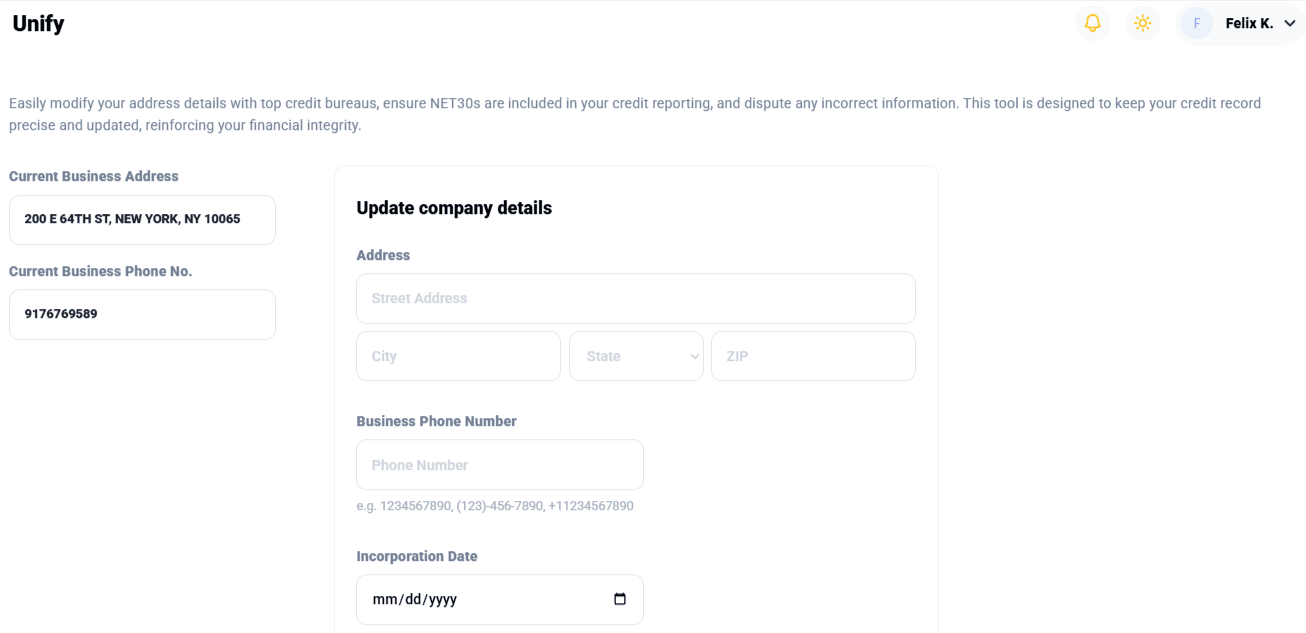
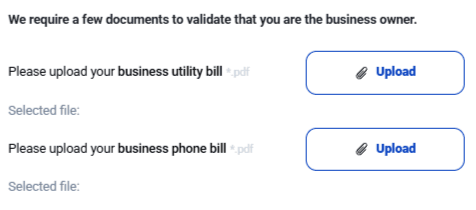
At the bottom, you will be required to provide documentation to prove you are the business owner. Upload a PDF of a utility bill for your business. Then, provide us with a PDF of your business phone bill.
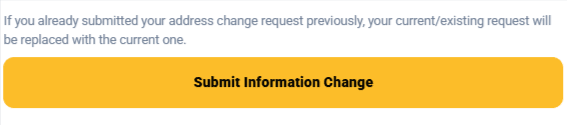
After you’ve double-checked your information, submit your information change by clicking “Submit Information Change” at the bottom of the page.
More articles
Read More >
September 17, 2026
2 min read
September 17, 2026
11 min read
September 17, 2026
5 min read
Start your credit building journey for your business
Start your credit journey now with FairFigure